Key Takeaways
- HPC software expands student evaluation into a multidimensional 360-degree record incorporating observations, portfolios, self-assessments, and parent inputs rather than just digitalizing conventional marks.
- Platform selection depends on strict alignment with official CBSE and NCERT-PARAKH stage-specific guidelines alongside vendor demonstrations that prove smooth daily workflows for teachers.
- Successful implementation relies as heavily on comprehensive teacher training and assessment calibration as it does on the software features themselves.
Choosing the right HPC software in 2026 requires more than finding a tool that generates student report cards. Schools need a platform that supports competency-based assessment, records student development, reduces teachers’ administrative work, and helps parents understand their child's progress.
For CBSE schools, the selection process also involves understanding NCERT-PARAKH guidelines, evaluating digital reporting features, and preparing teachers to use the system correctly. The right platform should support the school's assessment process rather than force teachers to change their teaching practices around software limitations.
What Is HPC Software?
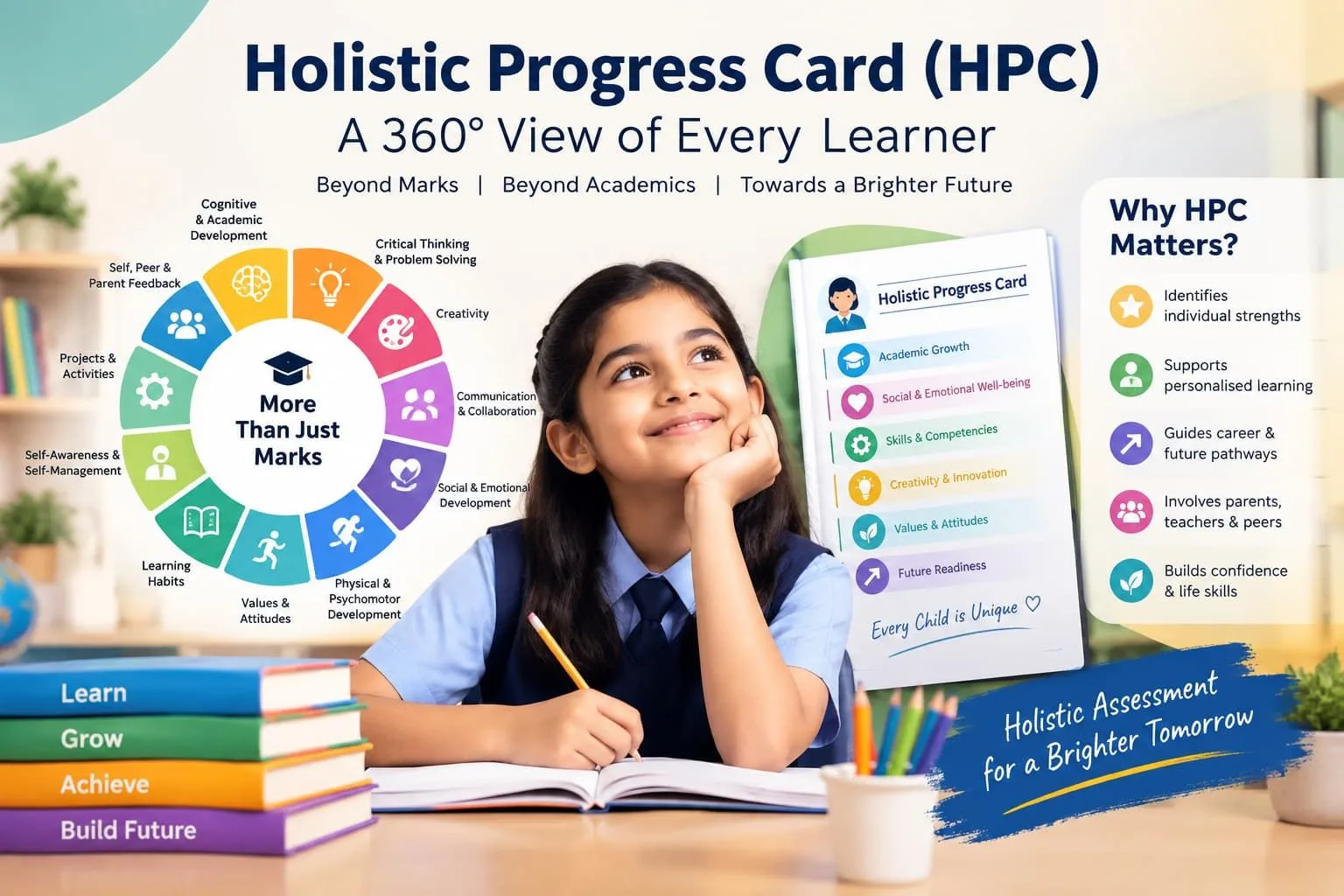
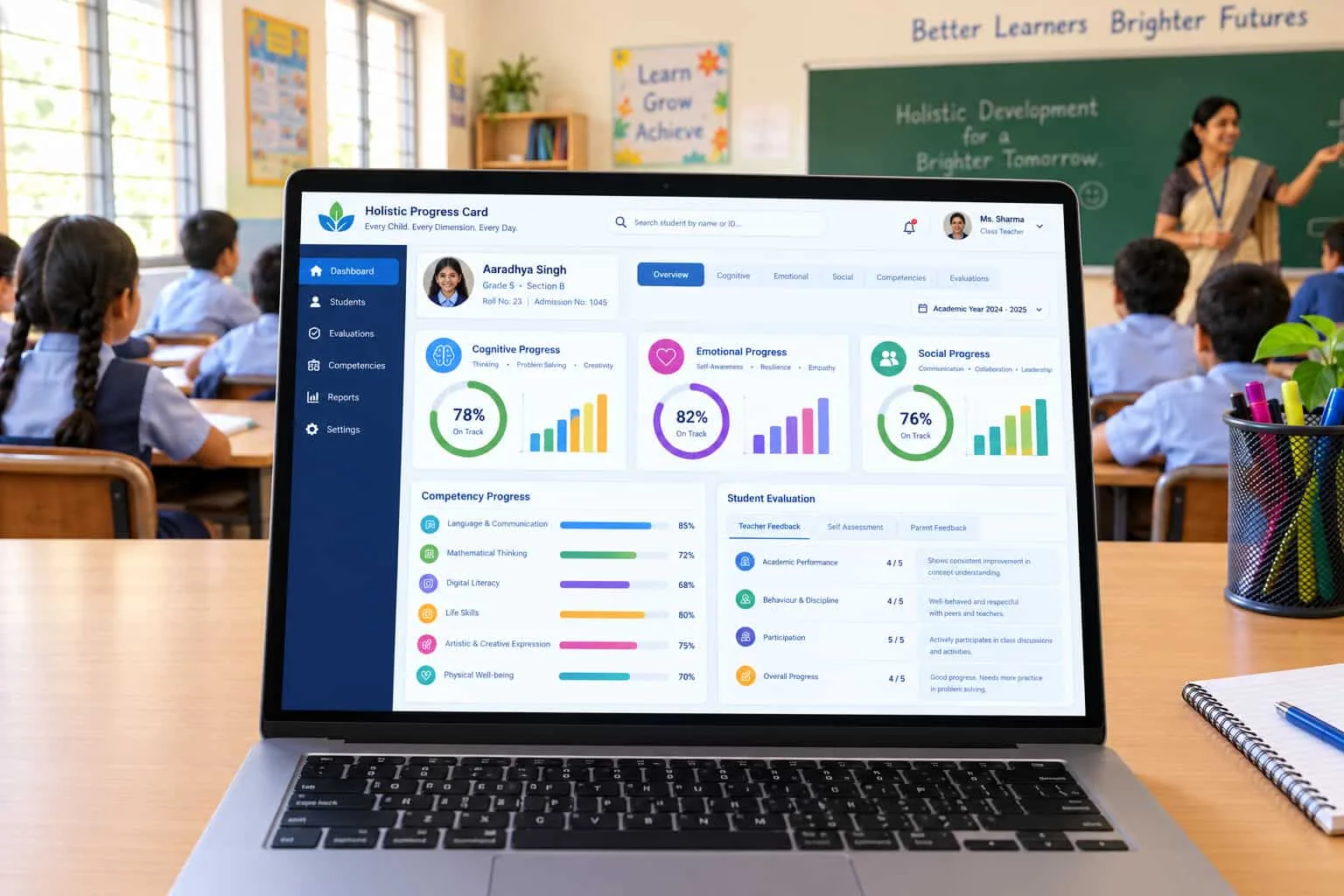
HPC software is a digital platform that helps schools record, assess, organise, and communicate student progress through a Progress Card (HPC), including academic performance, competencies, classroom participation, and other developmental indicators.
Unlike a traditional report card focused mainly on marks and grades, an HPC system can support a broader view of student learning through teacher observations, student self-assessment, peer feedback, parent inputs, and evidence from classroom activities.
The Central Board of Secondary Education (CBSE) describes the HPC as a multidimensional record of student progress that includes cognitive, emotional, social, and physical development. Its resources also cover project-based learning, portfolios, quizzes, role-play activities, and group work.
Schools can review the official CBSE HPC resources to understand the purpose and expected features of the assessment process.
The main point: HPC software should help schools document meaningful learning evidence and prepare clear progress reports, not merely replace a printed report card with a digital version.
Why Do Schools Need It?
Schools need HPC software to organise assessment records, support teachers, and communicate student progress more clearly throughout the academic year.
A well-chosen system can address several common school management problems:
· Scattered assessment records: Teachers often maintain observations, activity scores, portfolios, and comments across different documents.
· Time-consuming report preparation: Collecting information from multiple teachers can delay report card generation.
· Inconsistent assessment practices: Different teachers may interpret performance indicators differently without shared guidelines and training.
· Limited parent visibility: Conventional report cards may not explain a student's strengths, learning needs, or progress in specific competencies.
· Difficulty tracking development: Schools need a consistent method to review evidence collected across terms and academic years.
Digital HPC software can bring these records into one organised workflow, provided its features match the school's assessment requirements.
However, software alone cannot improve assessment quality. Schools also need clear processes, trained teachers, suitable assessment activities, and regular reviews of student evidence.
Key Features to Check
The best HPC software for a school should provide assessment tools, flexible reporting, teacher-friendly workflows, secure record management, and suitable support for implementation.
Before arranging a product demonstration, shortlist the following features.
Feature | What schools should check | Why it matters |
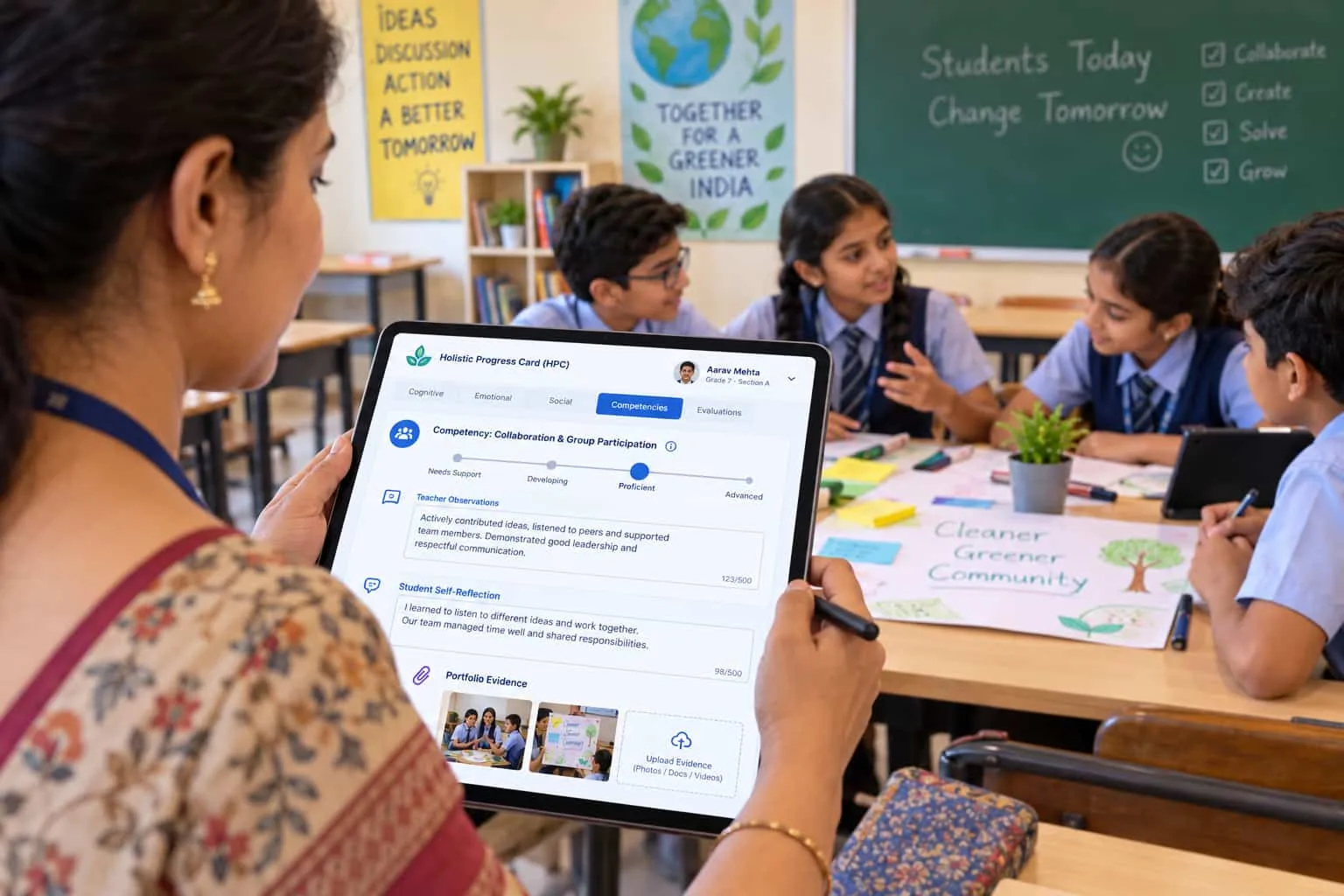
Competency-based assessment | Can teachers record evidence against relevant learning outcomes? | Supports meaningful progress tracking |
Digital report cards | Can the system generate readable reports for each student? | Reduces manual report preparation |
Teacher assessment tools | Can teachers add observations, feedback, and performance levels? | Supports consistent documentation |
Student self-assessment | Can students record reflections where appropriate? | Encourages student participation |
Parent feedback | Can the school collect parent observations where required? | Connects home and school learning |
Portfolio management | Can teachers organise project work and activity evidence? | Keeps assessment evidence accessible |
Reporting and analytics | Can authorised staff review progress across classes and terms? | Helps identify learning needs |
Data protection | Are access controls, backups, and data handling policies clearly explained? | Protects student information |
Training and support | Are onboarding, teacher training, and ongoing assistance available? | Helps staff use the system correctly |
Not every school needs every feature at the same level. A school with several campuses may need centralised reporting and role-based access, while a smaller school may prioritise simple workflows and reliable support.
Expert Tip: Ask vendors to demonstrate a complete assessment cycle using a sample student record, from entering classroom observations to generating the final report. This reveals workflow gaps that a feature checklist alone may miss.
How to Compare CBSE Platforms?
CBSE schools should compare HPC platforms against official assessment resources, the school's grade-level requirements, teacher workflows, and the quality of implementation support.
The CBSE HPC portal provides information about the assessment framework, while the NCERT-PARAKH HPC portal provides stage-specific resources and guidance.
Use these resources as reference points before evaluating vendor claims.
Check Assessment Alignment
Start by identifying the requirements relevant to the grades your school teaches. Assessment expectations and reporting formats may differ across the Foundational, Preparatory, Middle, and Secondary Stages.
The NCERT-PARAKH overview describes PARAKH's role in developing and disseminating HPC frameworks across school stages.
Ask each vendor to explain how the platform supports your school's applicable framework and whether the school can configure fields, descriptors, and reporting formats where permitted.
Test Teacher Workflows
Ask teachers to complete a sample task using the platform. They should be able to enter observations, record competency evidence, review entries, and prepare reports without unnecessary duplication.
A system that looks impressive in a presentation may still create extra work during daily use.
Review Report Quality
Generate sample reports for different grades and learning profiles. Check whether parents can understand the language, whether the report reflects the evidence entered, and whether teachers can correct errors before publication.
Check Support Services
Find out who will train teachers, assist administrators, resolve technical issues, and help the school prepare for its first reporting cycle.
Implementation support deserves the same attention as software features because the school must establish reliable assessment practices, not simply activate user accounts.
Digital HPC vs Traditional Reports
Digital HPC software organises assessment information electronically, while traditional report cards commonly present academic results through printed or manually prepared formats.
Comparison point | Digital HPC software | Traditional report card |
Record entry | Electronic data entry | Manual or spreadsheet-based entry |
Assessment evidence | May support observations, portfolios, and activity records | Depends on the school's existing process |
Report generation | Can automate report creation | Often requires manual formatting |
Corrections | May allow authorised edits before release | May require document revisions or reprinting |
Parent access | May offer secure online access or digital sharing | Often relies on printed copies or separate communication |
Progress review | May support comparisons across terms | Depends on how previous records are stored |
Initial effort | Requires setup, training, and data preparation | Familiar to staff but may involve repeated manual work |
These differences depend on the product and the school's existing processes. A digital platform does not automatically provide better assessment; the quality of the evidence and the way teachers use it remain essential.
How Much Does HPC Software Cost?
HPC software pricing depends on the number of students, available modules, implementation services, teacher training, support arrangements, and contract duration.
There is no single verified price that applies to every school or vendor, so schools should request written quotations rather than rely on a generic market estimate.
Ask vendors to separate the following costs:
· Software subscription or licence: The recurring or one-time charge for platform access.
· Implementation: Configuration, school setup, and migration of existing records.
· Teacher training: Initial workshops and refresher sessions.
· Technical support: Assistance with access issues, errors, and report generation.
· Additional services: Custom reporting, integrations, or extra user accounts, if applicable.
Calculate the total cost for at least three academic years where possible. This helps the school compare the full cost of ownership instead of choosing a platform solely because its initial quotation is lower.
Also confirm whether the quotation includes taxes, renewal terms, data export, and support during report card preparation.
Expert Tip: Ask vendors to quote the same student count, grade range, training requirements, and support period. Comparing identical requirements makes pricing differences easier to interpret.
Why Teacher Training Matters?
Teacher training matters because effective HPC implementation depends on consistent assessment practices, accurate evidence collection, and clear reporting.
Teachers need to understand what each assessment indicator means, what evidence to record, how to provide useful feedback, and how to avoid treating every developmental indicator as a numerical score.
A school should confirm that its implementation plan includes:
1. Framework orientation: Explain the relevant HPC structure and assessment expectations.
2. Practical demonstrations: Show teachers how to enter observations, record evidence, and prepare reports.
3. Assessment calibration: Discuss sample cases so teachers interpret descriptors consistently.
4. Trial reporting: Complete a sample reporting cycle before school-wide use.
5. Ongoing support: Provide a contact point for questions and review early implementation issues.
NCERT-PARAKH provides official resources for understanding the assessment process, but schools should also evaluate the practical training offered by their chosen implementation partner.
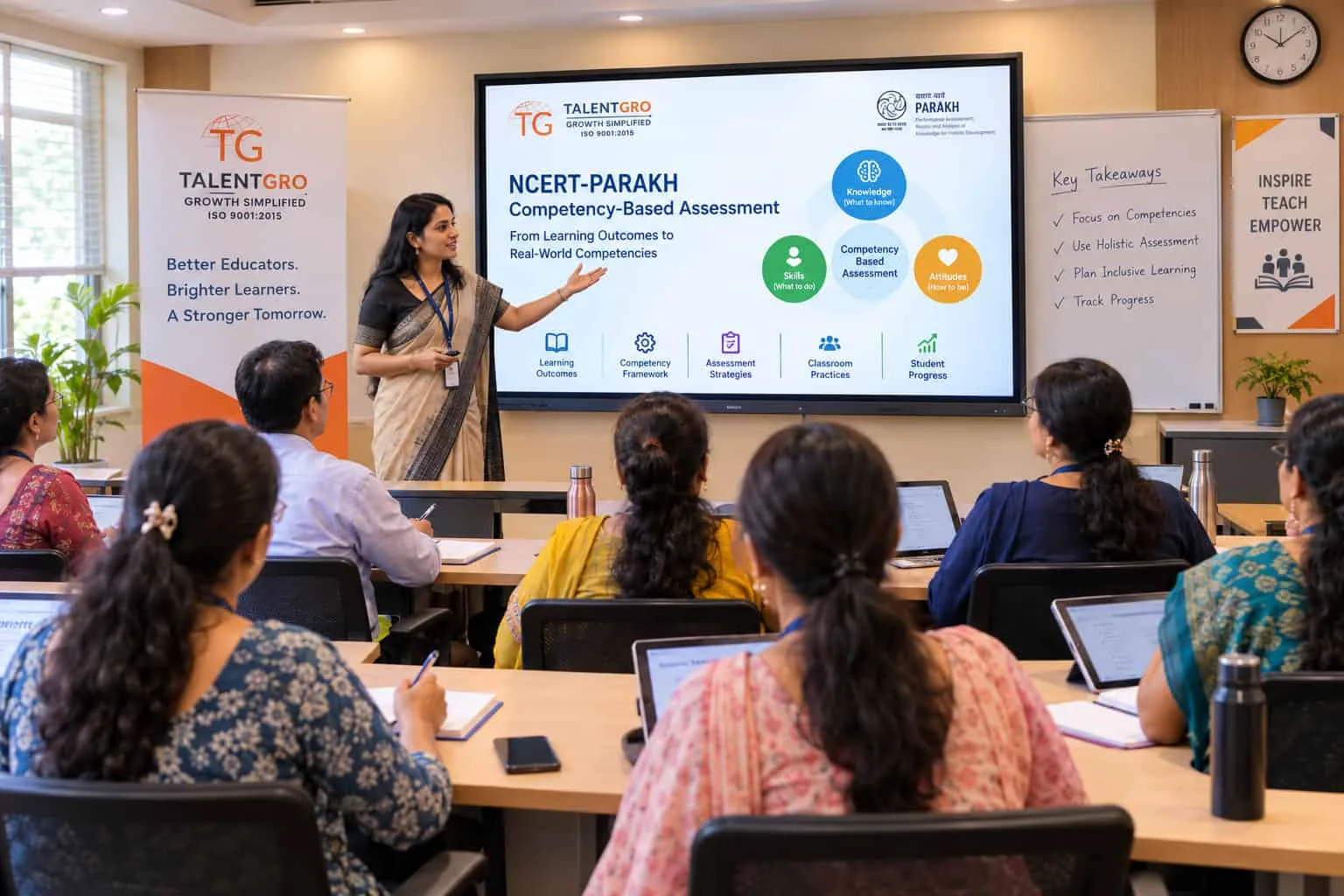
TalentGro Global supports schools implementing HPC through training and guidance from its NCERT-PARAKH Master Certified Trainers, as described by the organisation. Schools considering this support should ask about trainer credentials, programme scope, teacher participation, and the specific deliverables included in the engagement.
How to Implement HPC Software?
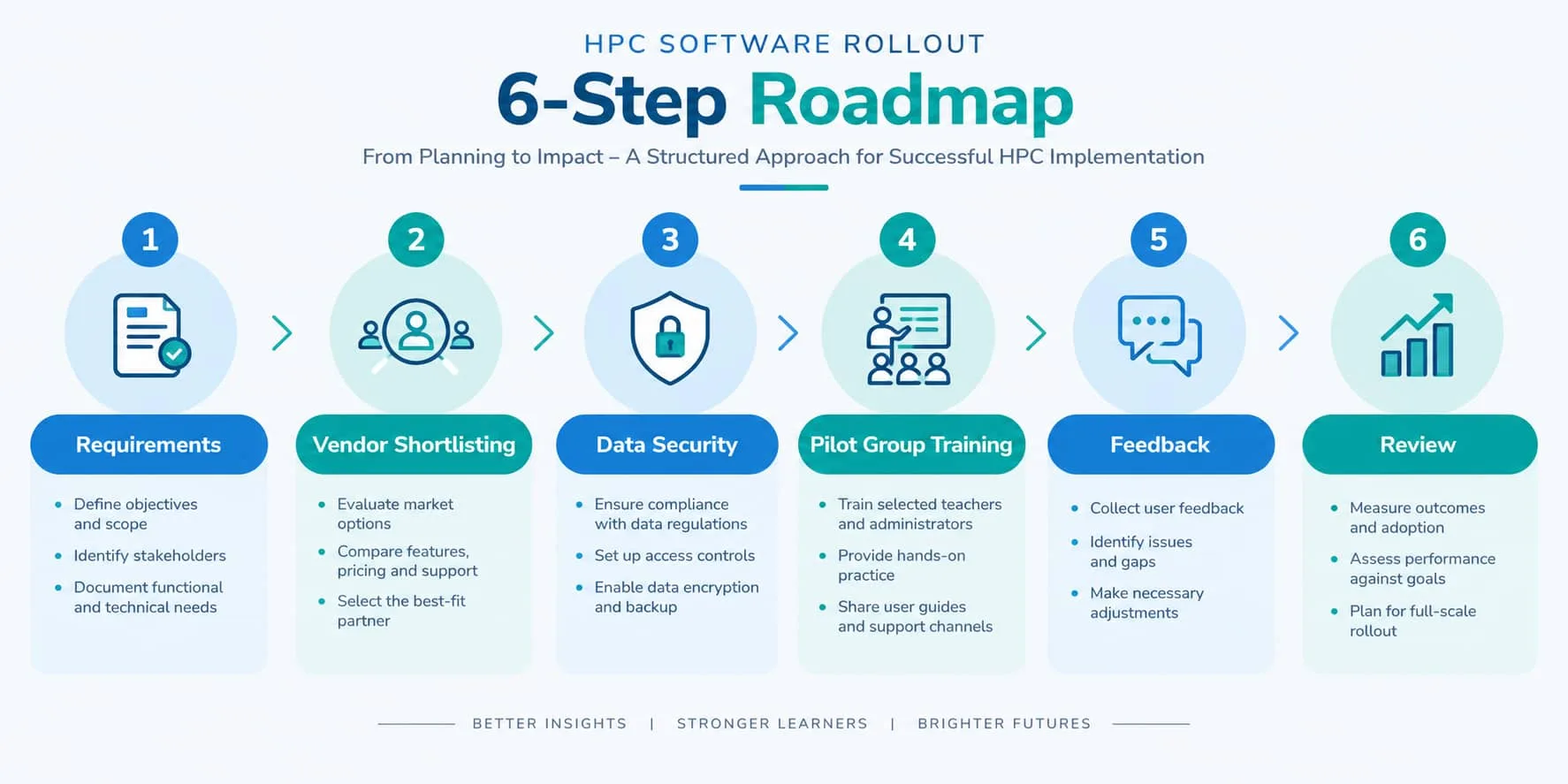
Schools can implement HPC software successfully by defining their requirements first, selecting a suitable platform, preparing teachers, running a pilot, and reviewing the results before wider adoption.
Follow this practical sequence.
Step 1: Set School Requirements
List the grades covered, assessment indicators, reporting frequency, parent communication needs, existing student information systems, and expected administrative workload.
Include teachers, school leaders, IT staff, and relevant academic coordinators in the discussion.
Step 2: Shortlist Vendors
Compare platforms using the same feature checklist. Ask each vendor to demonstrate the tasks that teachers and administrators will perform during a normal reporting cycle.
Step 3: Check Data Security
Ask how student records are stored, who can access them, how permissions are managed, and how the school can export its data if it changes providers.
Review the vendor's written privacy, backup, retention, and deletion policies before uploading student information.
Step 4: Train a Pilot Group
Start with a manageable group of teachers or classes. Test data entry, assessment descriptors, report generation, corrections, and parent-facing outputs.
Step 5: Gather Feedback
Ask teachers how much time tasks take, where they face difficulties, and which instructions need clarification. Resolve these issues before expanding the rollout.
Step 6: Review Each Cycle
After the first cycle, check report accuracy, completion rates, support requests, parent feedback, and teacher workload. Use these findings to improve the next cycle.
Common Buying Mistakes
Schools should avoid choosing a platform based only on price, appearance, or a long feature list without testing how it supports actual assessment work.
Common mistakes include:
· Buying before defining requirements: The school may pay for features it does not need while missing essential reporting tools.
· Ignoring teacher usability: Complicated data entry can reduce adoption and lead to incomplete records.
· Assuming every platform meets CBSE needs: Ask for a demonstration against the school's applicable assessment framework.
· Skipping training: Teachers may use descriptors inconsistently or treat the system as a routine marks-entry tool.
· Overlooking data ownership: Confirm export options and access arrangements before signing a contract.
· Ignoring support terms: Unclear response times can create problems during report card deadlines.
· Measuring success by software activation: A successful rollout also requires accurate records, useful feedback, and consistent assessment practices.
Schools should request a pilot, written pricing, a defined implementation plan, and clear support terms before making a final purchase.
How TalentGro Global Helps?
TalentGro Global can support schools that need guidance on HPC implementation and teacher readiness, including training from its NCERT-PARAKH Master Certified Trainers.
For school leaders, the value of implementation support lies in connecting the assessment framework with daily classroom practice. Teachers need practical guidance on evidence collection, assessment descriptors, student feedback, and report preparation alongside the technical instructions for using a digital platform.
Before engaging a training partner, school leaders should confirm the scope of training, the grades covered, the credentials of the assigned trainers, the format of workshops, and the support available after the sessions.
Schools should also distinguish between assessment training and software procurement. Training helps teachers understand and apply the assessment process, while software provides digital tools for recording and reporting information; one does not automatically replace the other.
A useful starting point is to assess the school's current reporting process, identify staff training needs, and decide which technical features are genuinely required before selecting a platform.
Choose the Right Platform
The right HPC software should match your school's assessment requirements, make teachers' work manageable, protect student records, and produce reports that parents can understand.
Before signing a contract, compare at least a few suitable platforms, test the complete reporting workflow, confirm the total cost, and review the vendor's training and support arrangements.
Schools that need additional implementation guidance can also explore support from TalentGro Global and ask how its NCERT-PARAKH Master Certified Trainers can help prepare teachers for the process.
The best purchase is the one that supports consistent assessment practices and gives teachers more time to focus on student learning.

Content writing intern at TalentGro Global.
Frequently Asked Questions
Want to know more?
Reach out to our team any time