
AI Tools & Business Automation | Day 1
How to Access Lovable?
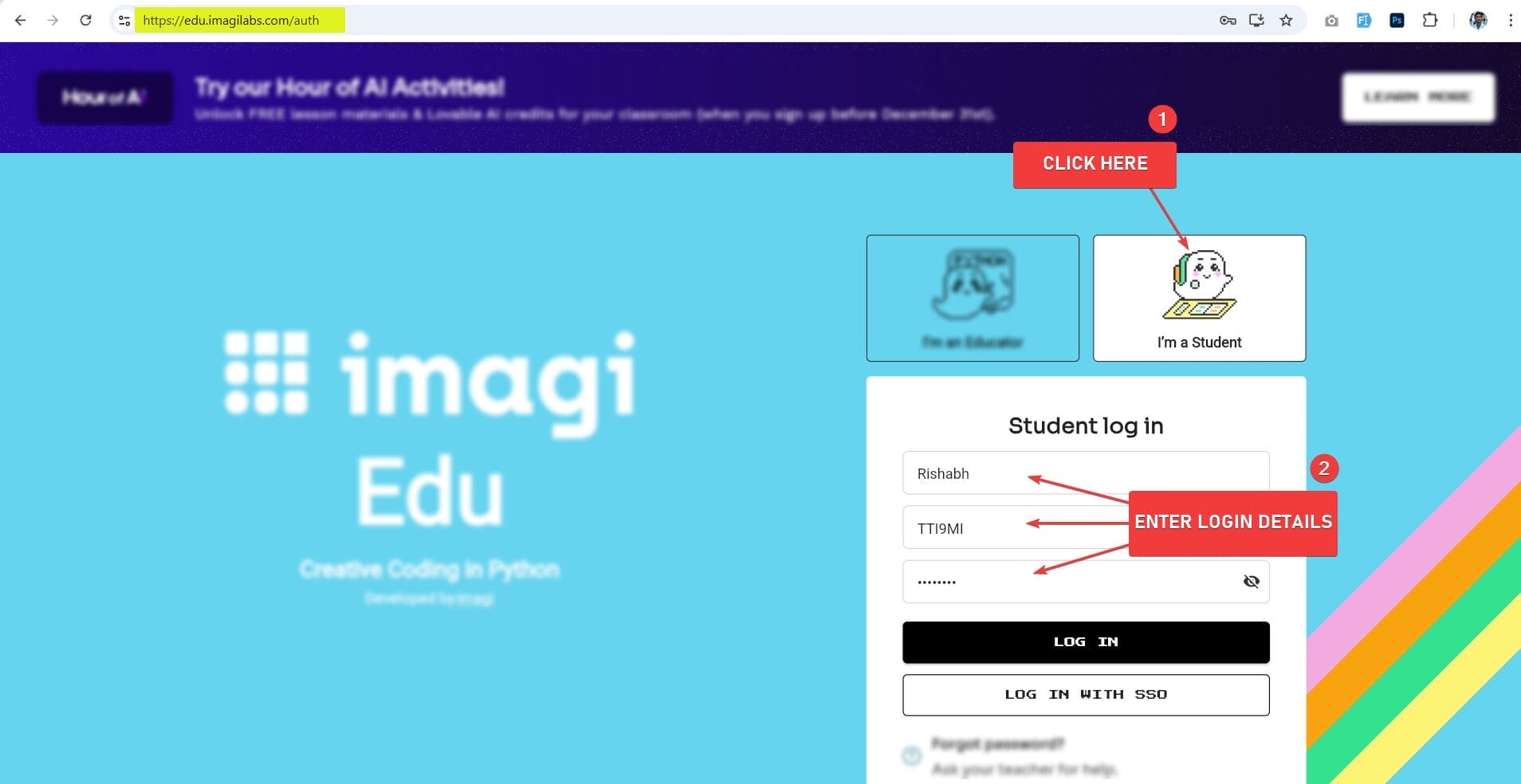
Step 1: Go to https://edu.imagilabs.com/
Step 2: Enter your Login details from PDF file.
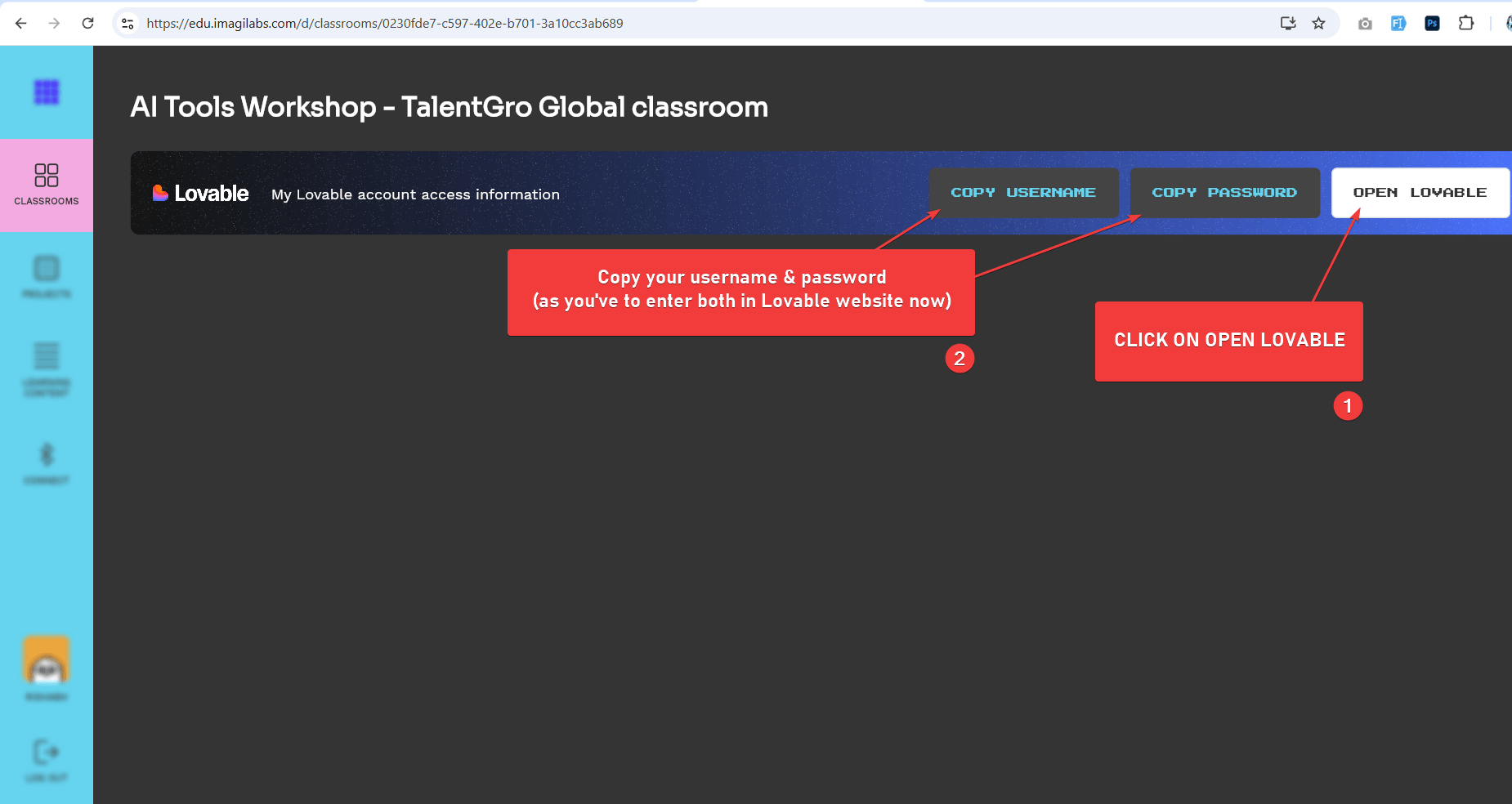
Step 3: Click on OPEN LOVABLE and then copy your username and password.
Step 4: Paste your copied username + password now and click LOG IN.
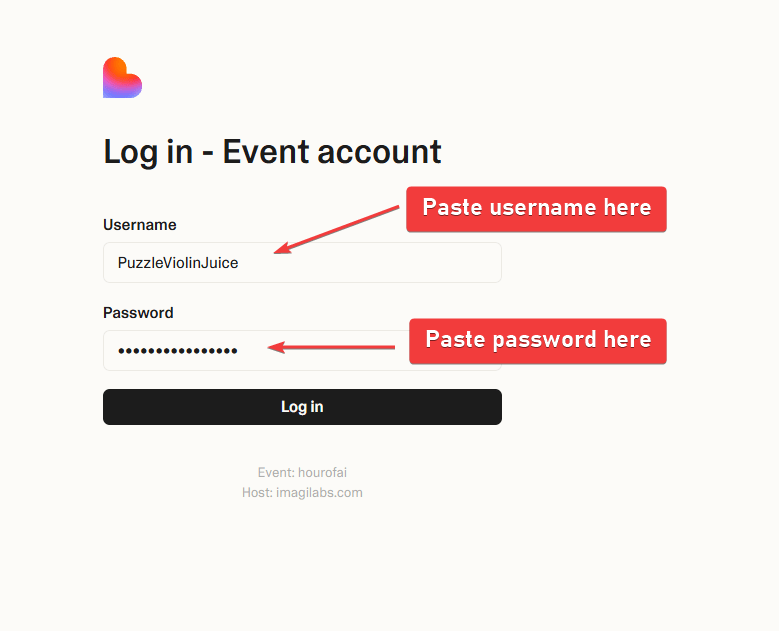
Congrats. Your account is successfully activated now..